

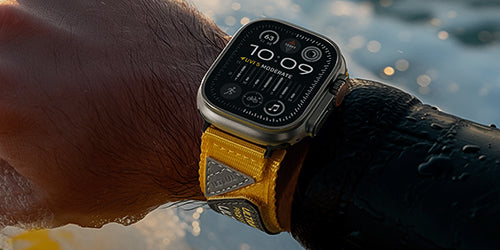

Apple Watch is designed to adapt to different users and wearing habits. Whether you wear your Apple Watch on your left wrist or right wrist, you can adjust the orientation settings to create a more comfortable experience.
When paired with the Shield Protect Case Band, understanding wrist orientation can help you find the best balance between comfort, accessibility, and protection.
How to Change Apple Watch Orientation
Apple Watch lets you customize both the wrist you wear it on and the position of the Digital Crown. You can make this adjustment directly on your Apple Watch by going to Settings → General → Orientation.

You can also change the same settings on your iPhone by opening the Watch app and navigating to My Watch → General → Orientation.
Choose the wrist that you normally wear your Apple Watch on, then select the Digital Crown position that feels most natural for you. For example, if you wear your Apple Watch on your right wrist and typically operate it with your left hand, placing the Digital Crown on the left side may provide a more natural grip and easier access.
Why Apple Watch Orientation Matters When Installing the Shield Protect Case Band
For a traditional watch band, changing your wrist or watch orientation usually does not affect the band itself. An integrated case band is different because the protective case and band are designed together as one complete structure. The position of the Digital Crown, buttons, and protective elements is carefully aligned with the Apple Watch.
When installing the Shield Protect Case Band, make sure the Apple Watch display orientation and the case band direction match. The key factor is the position of the Digital Crown, which determines the orientation of the display and how the case band should be installed.
Digital Crown on the Right
If you keep the Digital Crown on the right side, the Shield Protect Case Band can be installed in its standard direction. The display remains correctly oriented, while the case and protective elements align naturally with the Apple Watch.
Digital Crown on the Left
If you prefer to move the Digital Crown to the left side, the Apple Watch display will rotate to match the new orientation. In this setup, the Shield Protect Case Band also needs to be installed in the reversed direction to match the watch and keep the protective structure properly aligned.
Left wrist or right wrist? Crown on the left or right? There’s no single “right” way to wear your Apple Watch — it’s about finding what feels right for you. Once you’ve got your setup dialed in, your Shield Protect Case Band is ready to fit right in.

Hinterlasse einen Kommentar
Diese Website ist durch hCaptcha geschützt und es gelten die allgemeinen Geschäftsbedingungen und Datenschutzbestimmungen von hCaptcha.